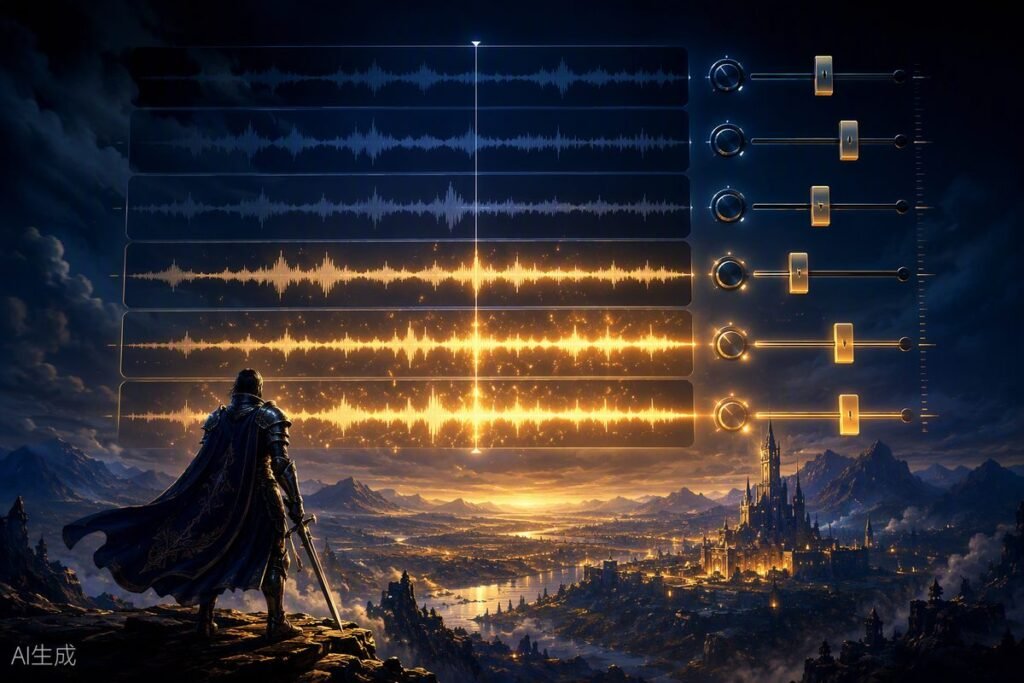
Press play on a film score and it runs from beginning to end, locked to the picture. Press play on a game score and… nobody knows how long the player will stand in this village, when the ambush will trigger, or whether the boss fight lasts thirty seconds or ten minutes. That uncertainty is why game music exists as its own discipline — and why adaptive music is the single most important concept a new game composer can learn.
What Is Adaptive Music?
Adaptive music (also called interactive or dynamic music) is music that changes in response to gameplay. Instead of one fixed recording, the composer delivers a system: loops, layers, and transition rules that the game engine assembles in real time based on what the player is doing.
When you walk peacefully through a forest and the music is gentle — then enemies appear and drums and strings surge within a bar — that’s adaptive music. Nothing was “cued” like a film. The game looked at its own state (combat = true) and the music system reacted.
Why Games Need It
- Unknown duration: a film scene is 90 seconds; a gameplay section is however long the player takes. Music must loop gracefully.
- Player agency: the player controls pacing and intensity, so the music must follow them, not the other way around.
- Repetition: players revisit areas for hours. Static tracks become grating; layered systems stay fresh.
- Emotional precision: music that reacts to danger, victory, and discovery makes feedback visceral — it’s a gameplay tool, not decoration.
Technique 1: Vertical Layering
Vertical layering means the music is split into stems that all play in sync, and the game fades layers in and out to change intensity. A classic three-layer combat system:
| Layer | Content | Game state |
|---|---|---|
| Layer 1 (base) | Pads, light percussion, ambient texture | Exploration |
| Layer 2 | + drums, bass, rhythmic strings | Enemies nearby |
| Layer 3 | + full percussion, brass, choir | Active combat / boss |
All three layers are the same length, tempo, and key, so any combination sounds intentional. The composer’s job is to write one piece of music that works as three pieces of music.
Composition tip: write the fullest layer first, then subtract. It’s far easier to remove elements from a dense arrangement than to add layers to a sparse one without cluttering it.
Technique 2: Horizontal Re-sequencing
Horizontal re-sequencing switches between different musical sections over time — an exploration loop crossfades into a combat loop when a fight starts, then back when it ends. The craft is in the transitions:
- Bar-boundary switching: changes happen on bar lines so rhythm never stumbles.
- Transition segments: short composed “bridges” (a drum fill, a riser) that smooth the jump between sections.
- Stingers: one-shot musical hits (a brass stab, a cymbal swell) layered on top to mark events like victory or player death — they mask transitions and add punch.
Shared tempo and related keys between sections make transitions seamless. Many scores keep exploration and combat in the same key and tempo so the switch feels like an arrangement change rather than a track change.
How Games Actually Implement It
Small indie games often implement adaptive music directly in the engine (Unity and Godot both can crossfade loops and layers with simple scripts). Larger productions use audio middleware:
- FMOD — free for indie budgets, visual logic editor, huge adoption in indie and mid-size studios.
- Wwise — the AAA standard, deeper feature set, free tier for small projects.
You don’t need to master middleware to get hired at the indie level — but understanding the vocabulary (events, parameters, snapshots, RTPCs) makes you dramatically easier to work with. Delivering cleanly labeled stems and loops (“explore_full.wav”, “combat_layer2.wav”) already puts you ahead of most beginners.
Compose Your First Adaptive Cue: A Workflow
- Pick a scenario: e.g., a village that becomes dangerous at night. Two states are enough for a first attempt.
- Choose one tempo and key for everything. 100 BPM, D minor — commit.
- Write the full-intensity version first (night/danger): drums, ostinato strings, tense harmony. 8 bars that loop.
- Create the calm version by subtraction: mute the drums and aggressive lines, keep pads and melody. Verify it loops cleanly too.
- Export stems: one file per layer, all exactly the same length, starting at the same sample.
- Test in anything: even two Audacity tracks you mute and unmute will reveal whether your layers cooperate. Then try a free FMOD project.
Common Beginner Mistakes
- Loops with audible seams: reverb tails and cymbal crashes that get cut at the loop point. Bounce loops with tails intact or design endings that resolve.
- Layers that fight: every layer carrying a melody. Assign each layer a role — rhythm, harmony, or lead — not all three.
- Ignoring the mix: game music sits under sound effects and dialogue. Leave space in the 1–4 kHz range and don’t over-compress.
- Overlong loops: a 3-minute loop is rarely necessary; 60–90 seconds of well-layered music outlasts it in practice.
Where to Go Next
Adaptive thinking changes how you write everything — harmony choices, arrangement, even melody length. Once you’re comfortable with two-state systems, study how games you love handle transitions (listen for the stingers), and read our theory techniques guide for the harmonic tools that make layers and loops satisfying. When you’re ready to build the career around these skills, the complete composer roadmap is waiting.