To sync music to gameplay, composers use beat-aware timing, event triggers, and adaptive music systems like Wwise or FMOD. Key steps include syncing major game events to musical beats or bars, quantizing actions for rhythm alignment, and handling transitions with stingers or layering. Testing across hardware helps avoid timing drift and latency issues.
Why Sync Music to Gameplay?
Syncing music to gameplay is fundamental for creating an immersive, responsive player experience. Whether in rhythm games like Hi-Fi Rush or action titles like Metal Gear Rising: Revengeance, aligning audio and gameplay cues increases impact, reinforces feedback, and enables adaptive music that reacts to player actions. Without precise sync, even strong compositions can feel disconnected, reducing emotional engagement and clarity.
Essential Concepts: Tempo, Bars, and Cues
Understanding musical time is foundational. Tempo (beats per minute, or BPM) sets the rhythmic pace. Bars group beats, defining musical structure. Cues are precise points—often beat- or bar-aligned—where gameplay events or transitions should occur. In game audio, syncing means aligning these musical elements with gameplay logic: a boss attack lands on a downbeat, or a cutscene transition hits at the end of a musical phrase.
- Beat syncing: Matching in-game actions to musical beats or subdivisions.
- Quantization: Adjusting player or system actions to fall on the nearest beat or bar.
- Stingers and transitions: Short musical cues or layers triggered at specific gameplay moments.
Techniques for Beat-Based Synchronization
The core workflow to sync music to gameplay typically involves:
- Mapping beats and bars in your DAW: Use DAW markers to outline key sync points. Tools like Ableton Live or REAPER allow precise cue placement.
- Exporting sync data: Many DAWs export MIDI, tempo maps, or marker files to aid implementation.
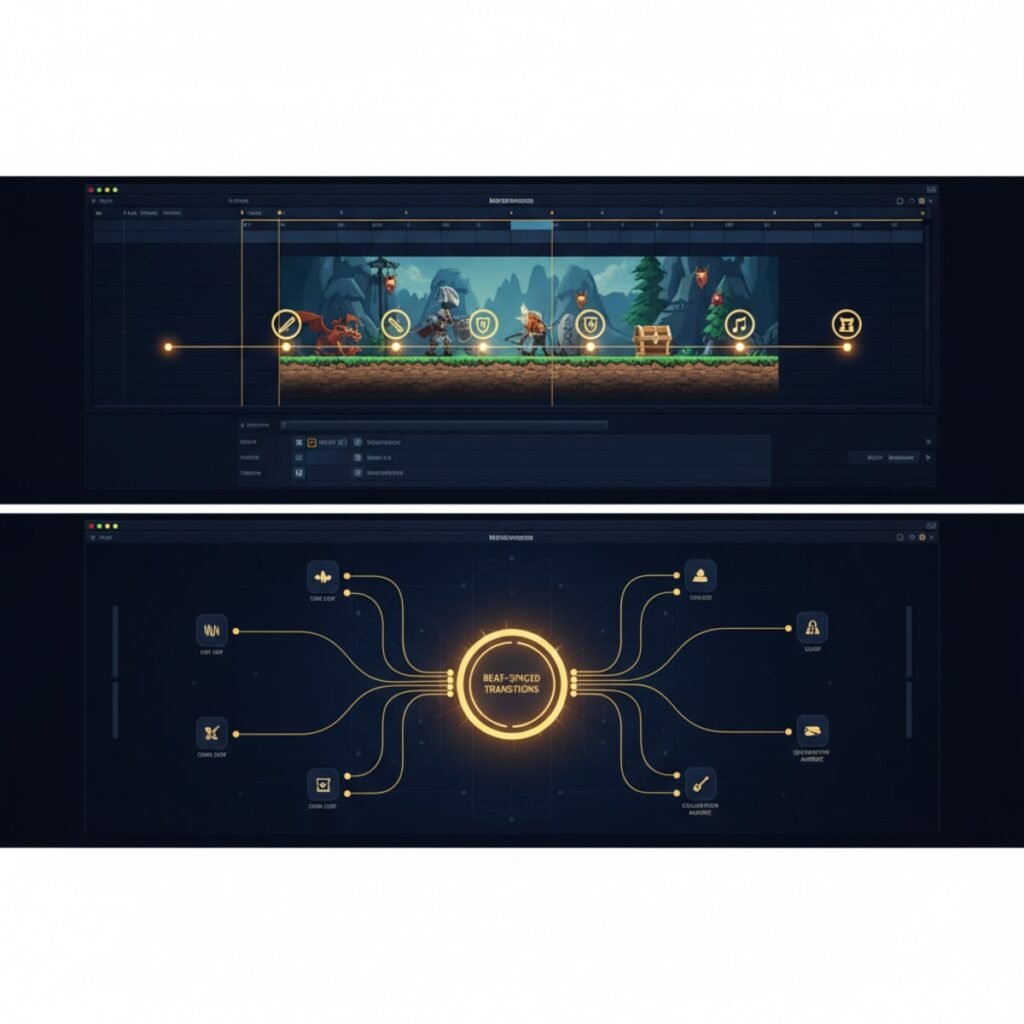
- Implementing callbacks in middleware: Audio middleware like Wwise or FMOD can read tempo and trigger events at exact musical moments using beat/bar callbacks.
- Quantizing gameplay triggers: Program gameplay logic to wait for the next musical beat before executing key actions. This is vital in rhythm games and action sequences.
- Testing and iterating: Always test on real hardware, watching for drift, latency, or missed cues.
For deeper guidance on DAW workflows, see this guide to the best DAWs for game music.
Tools and Middleware: Wwise, FMOD, and DAWs
Game audio middleware is now the industry standard for syncing music to gameplay. Wwise and FMOD Studio provide:
- Beat/bar callback functions for precise event timing
- Segment and marker scheduling for adaptive transitions and stingers
- Real-time parameter controls (RTPCs) for dynamic layering
- Integration with Unity, Unreal, and other engines
DAWs still play a crucial role. Ableton Live offers warp and tempo-sync workflows ideal for beat-matched music. REAPER excels at flexible marker editing. Logic Pro X provides Smart Tempo and cue features. Plugins like Output Arcade and Serato Sample can automatically sync loops and stingers to tempo.
| Solution | Main Use | Key Features | Price Range |
|---|---|---|---|
| Wwise | Middleware sync/adaptive | Beat/bar sync, RTPCs | $0 (Indie) + tiers |
| FMOD Studio | Middleware sync/adaptive | Event markers, timeline | $0 (Indie) + tiers |
| Ableton Live | DAW for beat timeline | Warp, tempo sync | $99–$749 |
| REAPER | DAW for flexible editing | Routing, markers | $60 |
| Logic Pro X | DAW with smart tempo | Smart Tempo, cues | $199 |
| Output Arcade | Plugin for tempo matching | Loop sync | Subscription |
Handling Timing Drift and Latency
Timing drift—where music and gameplay gradually fall out of sync—can occur from differences in timing sources, hardware lag, or implementation errors. Key strategies include:
- Relying on the audio timeline as the master clock, not the game’s frame rate.
- Using middleware callbacks to trigger gameplay on musical beats.
- Testing for input/display latency and calibrating start offsets (especially for rhythm games).
- Quantizing player input to the nearest beat/bar, smoothing over minor timing errors.
- Testing on multiple platforms to catch hardware-specific drift or lag.
For a breakdown of common music sync issues and solutions, explore our adaptive music guide.
Case Studies: BPM, Hi-Fi Rush, Metal Gear Rising
- Bullets Per Minute (BPM): Uses beat callbacks in Wwise to tie gameplay and music clocks. Player actions are quantized to the beat, ensuring tight rhythmic feedback even if input is slightly off.
- Hi-Fi Rush: All combat and environment interactions are locked to the soundtrack’s pulse. The game quantizes player actions to the nearest beat, forgiving timing errors while keeping the experience musical.
- Metal Gear Rising: Revengeance: Boss transitions and attacks are scored to land on musical downbeats, enhancing drama and player anticipation by leveraging horizontal re-sequencing and stingers.
For more on the theory and practice behind these methods, see video game music theory techniques.
Practical Implementation Tips
- Plan your musical structure with gameplay in mind: phrase lengths, drop points, and cue placement.
- Export tempo maps or MIDI markers to guide integration in middleware.
- Use adaptive layering and stingers to smooth transitions and highlight key events.
- Collaborate closely with programmers to establish reliable timing logic—test transitions with debug logs or visualizers.
- Iterate based on playtesting, adjusting sync points as needed for feel and accuracy.
Troubleshooting and Community Strategies
Forum discussions highlight recurring pain points:
- Audio/gameplay drift due to hardware or implementation lag.
- Unreliable timing sources: always use the audio engine’s clock when possible.
- Start offset calibration for lead-in or pre-roll delays.
- Nonlinear gameplay challenges: adaptive music needs flexible cueing, not just linear triggers.
- Musical transitions that feel abrupt—address with better stingers, fade curves, or adaptive layering.
Testing across systems and documenting sync bugs are critical. Community solutions often involve open-source tools, custom scripts, and frequent QA cycles.
Official Resources
FAQ: Sync Music to Gameplay
- How do major games keep music and gameplay synced to the beat?
They use middleware callbacks and quantize gameplay actions to the nearest beat, ensuring actions align musically even with timing variations. - What features help Wwise and FMOD sync musical transitions?
Both provide beat/bar markers, segment scheduling, and callbacks so events always trigger at musically appropriate times. - Which DAWs are best for tempo-locked game music?
Ableton Live, REAPER, and Logic Pro X are commonly used for their tempo mapping, cue features, and flexible editing. - How do developers reduce timing drift and latency?
They use the audio timeline as the master clock, quantize triggers, and test across hardware to calibrate offsets. - What challenges do composers face with music/gameplay sync?
Common issues include timing drift, latency, nonlinear transitions, and ensuring musical cues feel natural in varied gameplay.