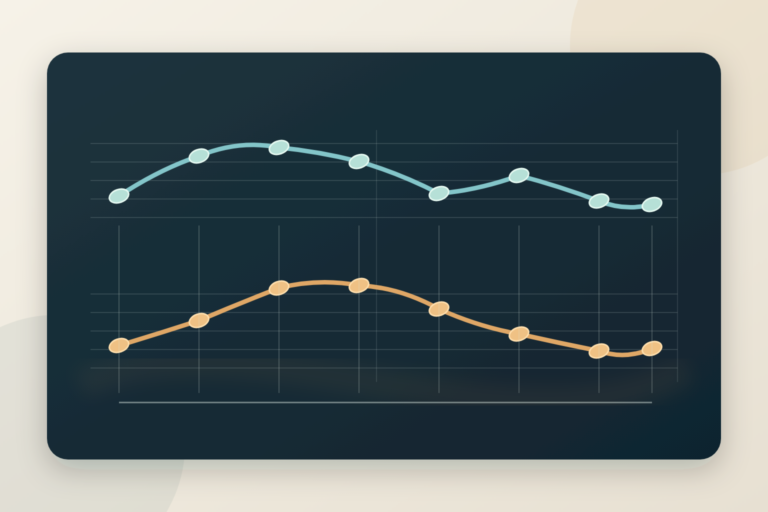
Adaptive music changes with gameplay: a game can add percussion when danger rises, move to a different musical section when combat starts, and return to exploration without stopping the score. The composer writes the musical parts and the rules for switching between them. Unlike a fixed film cue, the result has to work even when a player stays in one area or leaves unexpectedly.
What Is Adaptive Music?
Adaptive music (also called interactive or dynamic music) is music that changes in response to gameplay. Instead of one fixed recording, the composer delivers a system: loops, layers, and transition rules that the game engine assembles in real time based on what the player is doing.
When you walk peacefully through a forest and the music is gentle — then enemies appear and drums and strings surge within a bar — that’s adaptive music. Nothing was “cued” like a film. The game looked at its own state (combat = true) and the music system reacted.
Why Games Need It
- Unknown duration: a film cue can be timed to a fixed scene; a gameplay section may last as long as the player takes. Test the loop across repeated playback.
- Player agency: the player controls pacing and intensity, so the music must follow them, not the other way around.
- Repetition: players revisit areas for hours. Test repeated playback and vary the enabled layers when the arrangement supports it.
- Emotional precision: music that reacts to danger, victory, and discovery makes feedback visceral — it’s a gameplay tool, not decoration.
Technique 1: Vertical Layering
Vertical layering means the music is split into stems that all play in sync, and the game fades layers in and out to change intensity. A classic three-layer combat system:
| Layer | Content | Game state |
|---|---|---|
| Layer 1 (base) | Pads, light percussion, ambient texture | Exploration |
| Layer 2 | + drums, bass, rhythmic strings | Enemies nearby |
| Layer 3 | + full percussion, brass, choir | Active combat / boss |
For this illustrative arrangement, export every stem from the same start point for the same number of bars. Keep a shared pulse and plan the harmony so the combinations you actually enable sound deliberate. Matching tempo and key alone does not prevent clashing melodies or a crowded mix. Audition the base alone, base plus drums, and the full stack at the same playback position.
Let a single game parameter, such as danger level, control the layer mix. Fade the rhythmic stem in as danger rises, but wait briefly after danger falls before fading it out; that hold time is a design choice that prevents the score from fluttering when an enemy repeatedly enters and leaves detection range. Check the return to the quiet layer at several points in the loop, not only at its beginning.
Composition tip: write the fullest layer first, then subtract. It’s far easier to remove elements from a dense arrangement than to add layers to a sparse one without cluttering it.
Technique 2: Horizontal Re-sequencing
Horizontal re-sequencing switches between different musical sections over time — an exploration loop crossfades into a combat loop when a fight starts, then back when it ends. The craft is in the transitions:
- Bar-boundary switching: schedule changes on a chosen bar boundary, then audition the join.
- Transition segments: short composed “bridges” (a drum fill, a riser) that smooth the jump between sections.
- Stingers: brief phrases played over the current music to mark an event, such as victory. A stinger is an accent, not the rule that chooses the next section.
A shared tempo and compatible harmony simplify a bar-aligned switch, but they do not guarantee an inaudible join. Compare the rhythm, note tails, loudness, and first chord on both sides of the boundary. FMOD documents loop regions, destination markers, parameter conditions, and quantized transition regions; those are concrete ways to place and trigger a section change at a musical point rather than cutting on the exact frame of a gameplay event. A composed bridge can connect two sections when a direct jump sounds abrupt.
In a two-state cue, the game can request combat immediately while the music waits until the next bar to move. Decide what should happen if combat ends before that bar arrives: cancel the pending change or let a short combat phrase play. Write and test that rule explicitly. For a closer look at timing music against events, see our guide to syncing music to gameplay.
How Games Actually Implement It
A game can control its music states in engine code or through audio middleware. FMOD Studio uses event timelines, parameters, and transition logic, as its event authoring manual describes. Godot also has an AudioStreamInteractive resource that combines clips with a transition table, including options to change on the next beat or bar. These are implementation routes, not requirements for composing the first sketch.
Agree on the handoff with the developer before exporting: which gameplay variable drives the score, what its values mean, when changes may happen, and which files belong to each state. Name files by role, such as explore_base.wav and combat_drums.wav, and provide a short transition map. Our stem delivery guide covers the file handoff in more detail. License terms and project limits depend on the tool and the current agreement, so check the maker before selecting one.
Compose Your First Adaptive Cue: A Workflow
- Pick a scenario: e.g., a village that becomes dangerous at night. Two states are enough for a first attempt.
- Choose a shared musical frame for this exercise. Try 100 BPM in D minor. Those are illustrative choices that keep the first transitions simple, not required settings for adaptive music.
- Write the full-intensity version first (night/danger): drums, ostinato strings, tense harmony. 8 bars that loop.
- Create the calm version by subtraction: mute the drums and aggressive lines, keep pads and melody. Verify it loops cleanly too.
- Export stems: one file per layer, all exactly the same length, starting at the same sample.
- Audition every combination: line up the stems in your DAW, switch their levels at different bars, and listen through the loop point. Then implement the same rules in the game or middleware.
Now write a state map before building the playback logic. This example uses the same village cue; it is a teaching scenario, not a rule for every game:
| Game event | Current music | Destination | When to change |
|---|---|---|---|
| Enemy notices player | Explore | Danger layers in | Fade on the next beat |
| Combat begins | Explore or danger | Combat section | Next bar, with a transition if needed |
| Combat ends | Combat | Explore | After a short hold, then next bar |
Set a minimum hold after the last combat event so brief gaps between enemies do not repeatedly restart the transition. The exact hold is a playtest decision. Run three checks: let each state loop several times and listen for clipped tails; trigger each transition near both the start and end of a bar; and enter, exit, then re-enter combat quickly. If a cue feels late, decide whether a stinger should acknowledge the event while the main section waits for its musical boundary.
Common Beginner Mistakes
- Loops with audible seams: reverb tails and cymbal crashes that get cut at the loop point. Bounce loops with tails intact or design endings that resolve.
- Layers that fight: every layer carrying a melody. Assign each layer a role — rhythm, harmony, or lead — not all three.
- Ignoring the mix: audition the music with representative dialogue and sound effects, then adjust arrangement and level where they compete. One fixed frequency cut is not a substitute for listening in context.
- Untested repetition: an attractive loop can still become tiring. Listen across repeated cycles and across all enabled layer combinations before deciding its length.
Where to Go Next
Adaptive thinking changes how you write everything — harmony choices, arrangement, even melody length. Once you’re comfortable with two-state systems, study how games you love handle transitions (listen for the stingers), and read our theory techniques guide for the harmonic tools that make layers and loops satisfying. When you’re ready to build the career around these skills, the complete composer roadmap is waiting.
FAQ: Adaptive Music in Games
Is adaptive music different from dynamic music?
In game audio, adaptive, dynamic, and interactive music commonly describe a score that responds to gameplay. The important detail is which game state or parameter changes the music and when that change takes effect.
When should I use vertical layering or horizontal re-sequencing?
Use vertical layering when synchronized stems can change intensity without replacing the musical section. Use horizontal re-sequencing when exploration and combat need different phrases or forms. A cue can use both.
How do I keep a loop or transition from sounding cut off?
Export aligned stems, listen across the loop boundary, and check note and reverb tails. For a section change, test the source and destination at the chosen beat or bar boundary and write a bridge if the join still sounds abrupt.
Do I need middleware to make adaptive music?
No. You can sketch the states and audition stems in a DAW, then implement playback rules in a game engine. FMOD Studio offers event authoring tools, while Godot includes an interactive audio stream with a transition table.
How should I test the return from combat?
Trigger combat at several points in the exploration loop, end it at several points in the combat loop, and re-enter quickly. Check that the score respects the hold time, reaches the intended musical boundary, and returns without a level jump or clipped tail.

Keep reading


Practical guides for game composers. Each guide links the documentation, published surveys and maker pages it relies on, so you can check the claims yourself. About us · Report an error