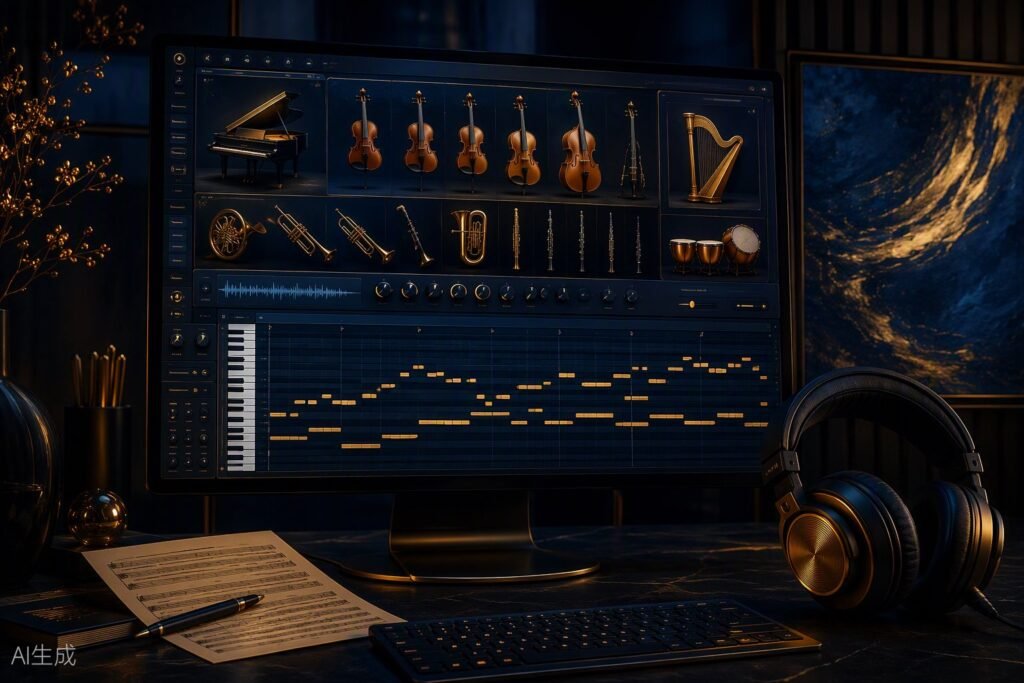
Kontakt is Native Instruments’ versatile sampler, popular among game composers for hosting virtual instruments. Beginners use either Kontakt Player (free) or the full version. While Kontakt Player supports many libraries, some premium instruments require the full version. Troubleshooting setup and using workflow tools in Kontakt 8 helps composers create efficiently.
What Is Kontakt and Why Do Composers Use It?
KONTAKT is Native Instruments’ flagship software sampler, widely regarded as the industry standard for hosting and playing virtual instruments in game music production. Its ecosystem includes thousands of commercial and free libraries, covering orchestral, retro, cinematic, and experimental sounds. Kontakt has shaped the workflow of modern game composers by offering deep scripting, broad compatibility, and a reliable platform for third-party developers. Major DAWs such as Logic Pro, Cubase, and Reaper support Kontakt as a plugin, allowing seamless integration with typical game music production pipelines.
Kontakt’s appeal lies in its flexibility—composers can load everything from retro chip sounds to fully sampled orchestral sections, and even build custom instruments using its scripting language. For those just starting, Kontakt for beginners means quick access to a huge world of sounds and tools without complex setup. As of 2024, Kontakt 8 remains the most broadly supported sampler in professional game audio.
Kontakt Player vs Full Kontakt: What’s the Difference?
The choice between Kontakt Player and the full version is a frequent source of confusion. Both are available for download, but their capabilities differ significantly:
| Feature | Kontakt Player | Full Kontakt |
|---|---|---|
| Price | Free | $299 (full) |
| Library Support | Limited (mainly licensed/Player libraries) | All (including premium, non-Player libraries) |
| Runs In DEMO Mode? | Some libraries only | No |
| Scripting/Editing | Limited | Full (advanced edits) |
| Included With | Komplete Start bundle | Komplete Standard/Ultimate |
| Upgradable? | Yes | – |
Kontakt Player is free, included in the Komplete Start bundle, and supports most libraries officially licensed for it. However, many premium third-party instruments—especially indie or boutique libraries—require the full version. Attempting to load these in Kontakt Player often results in DEMO mode, limiting play to a short time window before audio cuts out.
If you plan to use premium orchestral libraries or want to build your own instruments, the full version is essential. For exploration and early projects, Kontakt Player plus free libraries can take you far.
Essential Kontakt Libraries for Game Music Beginners
Choosing the right libraries is the heart of getting started with Kontakt for beginners. Here are some top picks—ranging from free to paid—that cover a wide range of game music needs:
- Super Audio Cart by Impact Soundworks ($149): Retro 8/16-bit/console sounds, ideal for pixel art and nostalgic game scores.
- Super Audio Boy (Free): Game Boy-style sounds, excellent for chiptune beginners.
- Symphobia 2 by ProjectSAM ($329): Cinematic orchestral textures, popular for adventure and RPG scoring.
- Albion One by Spitfire Audio ($449): Modern orchestral toolkit, widely used in AAA and indie games.
- Evolution Guitar Series by Orange Tree Samples ($179-199): Realistic guitars for rock, indie, and pop game soundtracks.
- The Free Orchestra by ProjectSAM (Free): Orchestral essentials, suitable for sketching and beginner scoring.
- VSCO 2 Community Edition (Free): Orchestral instruments, great for low-budget projects.
- Amore Grand Piano (Free): Simple, expressive piano for emotional or puzzle game cues.
- Shreddage 3 Stratus (Free): Electric guitar, solid for rock and action cues.
For a deep dive into orchestral options, see our guide to the best orchestral sample libraries for game music.
Setting Up Kontakt in Your DAW: First Steps
Integrating Kontakt with your DAW is straightforward, but beginners often overlook key steps:
- Install Kontakt via Native Access, ensuring both the plugin and your libraries are up to date.
- Open Kontakt as a VST/AU plugin inside your DAW (Logic, Cubase, FL Studio, etc.).
- Load a library from Kontakt’s browser. If prompted for activation, use Native Access.
- Configure outputs: In Kontakt’s Output section, add stereo/mono outputs as needed, then route each instrument to its own channel for mixing.
- Set MIDI channels: Assign each loaded instrument a unique MIDI channel for multi-instrument projects.
- Save your DAW template—this saves Kontakt’s setup for future sessions.
For DAW-specific tips and troubleshooting, check our guide to the best DAWs for game music.
Troubleshooting Common Kontakt Issues
Even seasoned composers encounter Kontakt troubleshooting headaches. The most common issues include:
- Missing Samples/File Not Found: This occurs if a library isn’t installed in the correct directory or files have been moved. Use Kontakt’s “Locate” function to point to the correct folder, or re-add the library in Native Access.
- Library Runs in DEMO Mode: Usually means the library requires full Kontakt, not just Player. Check the library’s requirements. If you have the full version, ensure it’s activated.
- No Sound: Check MIDI channel assignments and ensure your DAW’s track is routed to Kontakt. Confirm outputs are correctly set in Kontakt’s Output pane.
- Slow Loading/Crashes: Large libraries can tax memory. Use 16-bit samples when possible, purge unused samples, or increase your system’s RAM.
- Organizing Libraries: Use Kontakt’s “Quick Load” browser and custom folders to speed up workflow.
For more solutions, Native Instruments’ official Kontakt manual is a comprehensive resource.
Workflow Tools in Kontakt 8 for Composers
Kontakt 8 introduces new features aimed at speeding up the composition process, especially for game composers who need to iterate quickly:
- Chords and Patterns: Generate chord progressions or rhythmic sequences to sketch ideas quickly.
- Phrases and Leap: Use preset musical phrases or the Leap feature for randomized inspiration, useful when facing creative blocks.
- Improved Browser: Faster access to libraries and snapshots, with tagging and search for organization.
- Scripting Enhancements: Advanced users can customize instrument behavior for interactive or adaptive music needs.
These tools are valuable for brainstorming, prototyping, and even live performance—key tasks in game music workflows.
Alternatives to Kontakt for Game Music
While Kontakt dominates the ecosystem, several alternatives exist, each with unique strengths and limitations:
- Vienna Symphonic Library Instruments Pro: Deep orchestral sampling and performance control.
- EastWest PLAY/Opus: Cinematic and orchestral libraries, often used in film and AAA games.
- Steinberg HALion: Broad sampling and synthesis, with a powerful editor.
- UVI Falcon: Hybrid sampler/synth with advanced modulation and scripting.
- Decent Sampler: Free and simple, ideal for experimental or low-budget projects, but far less powerful than Kontakt.
Kontakt remains the most widely supported platform, especially for third-party libraries and game music workflows. For more on plugin choices, see our roundup of the best free VST plugins for game music.
FAQ: Kontakt for Beginners
- How do I fix missing samples or ‘file not found’ errors in Kontakt?
Use Kontakt’s “Locate” feature to point to the correct folder, or re-add the library in Native Access if files have moved or gone missing. - What’s the difference between Kontakt Player and the full version?
Kontakt Player is free but supports only certain libraries; the full version (paid) supports all libraries and advanced editing features. - What are the best free libraries for Kontakt beginners?
Top free picks include Super Audio Boy, The Free Orchestra, VSCO 2 Community Edition, Amore Grand Piano, and Shreddage 3 Stratus. - How do I set up outputs and MIDI channels correctly in my DAW?
Assign each Kontakt instrument its own output and MIDI channel within Kontakt, then route those in your DAW’s mixer for individual control. - Why do most game composers use Kontakt over alternatives?
Kontakt’s huge ecosystem, reliable performance, and compatibility with top libraries make it the go-to choice for game composers worldwide.
🎛️ Gear mentioned in this guide
- MIDI keyboard: Akai MPK Mini MK3 — best budget pick for composers
- Headphones: Audio-Technica ATH-M50x — honest mixing reference
- Interface: Focusrite Scarlett 2i2 — clean recording, zero fuss
As an Amazon Associate we earn from qualifying purchases. Full list on our Recommended Gear page.